The end of copy-paste
A pain of mine, an AI and less than a day: phone numbers from Maps straight to WhatsApp.
ClickFone · Chrome extension · Side project
A Chrome extension that turns phone numbers on Google, Maps and any website into a WhatsApp button, and shows who you have already messaged. Built with AI, in less than a day.
< 1 day from idea to finished version, built with AI
What I did
- Problem and scope
- Flow and interface
- Code, tests and translations with AI
- Store assets
- What
- Chrome extension (Manifest V3), free and ad-free
- Role
- Product designer and owner; the AI wrote the code
- Stack
- TypeScript, Vite and automated tests
- Status
- Live on the Chrome Web Store
- < 1 day from idea to finished version
- 3 languages from day one
- 0 data sent outside the browser
A pain of mine became a product: stop copying phone numbers from Google Maps into WhatsApp, and know who I had already talked to.
Chrome Web Store: Install ClickFone on Chrome
The pain
I use Google Maps a lot to find businesses and service providers, and the next step is almost always a WhatsApp message. But many businesses list their mobile as a regular phone, with no link at all. So I would copy, open WhatsApp, paste, check the area code and hope, dozens of times a day. And after talking to ten businesses, I could no longer remember which ones I had contacted.
The solution
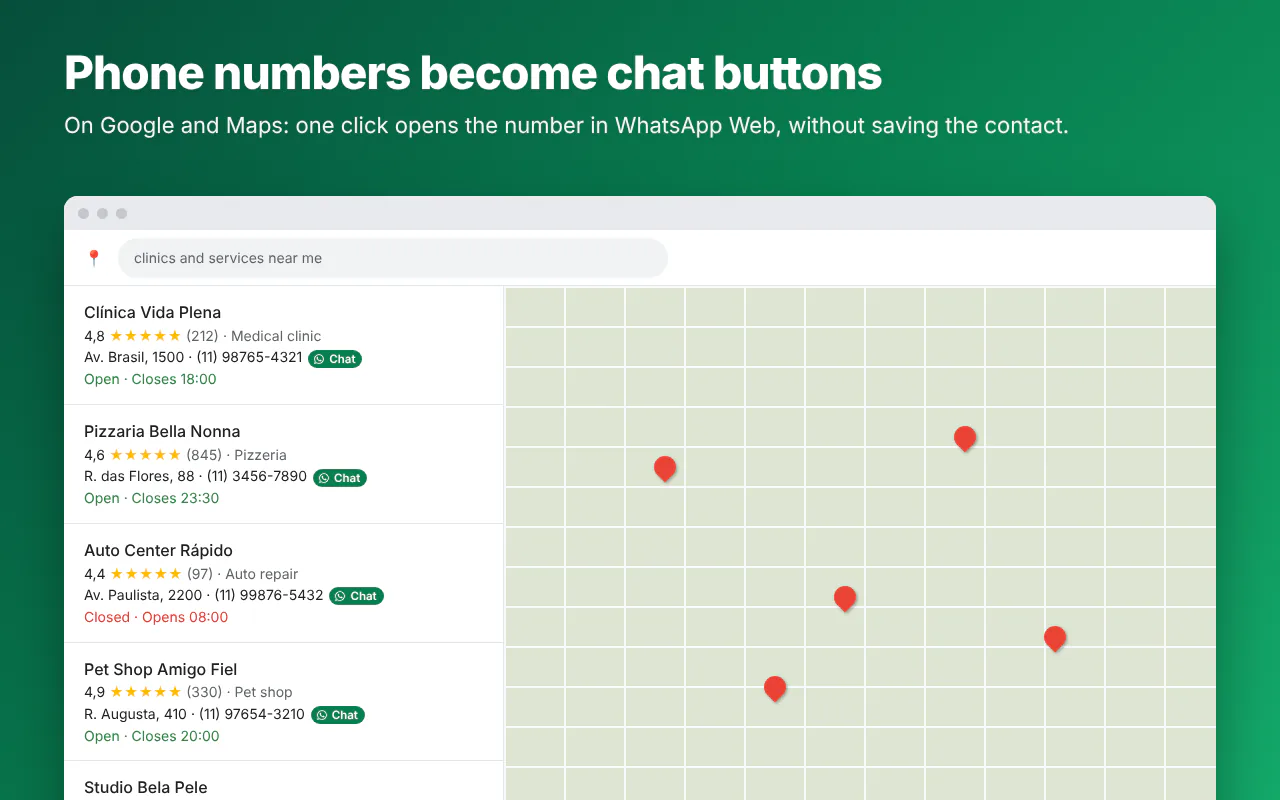
An extension that does what I was doing by hand. It finds the phone numbers on the page and puts a WhatsApp button next to them; on Maps, clicking the number opens the chat instead of trying to call.
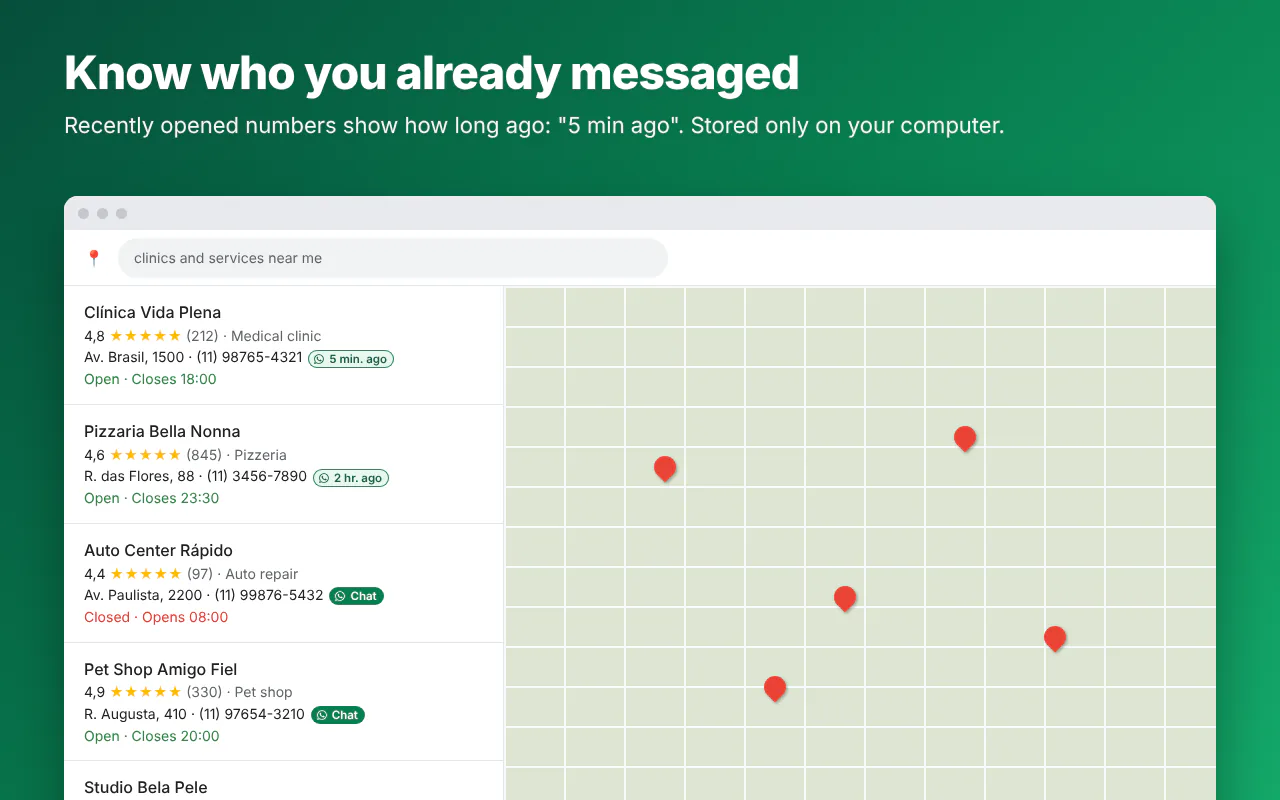
And every number I open gets a label, like "5 min ago". One look at the list tells me who I have already talked to.
How I built it
I built it all with AI, in less than a day. I played product designer and owner: I framed the problem, designed the flow, decided what made the cut and reviewed every delivery. The AI wrote the code, the tests, the translations and even the store images.
It is the same way I work with teams: start from a real pain, cut scope ruthlessly and check whether it solved the problem. Here, the team was me and an AI.
Decisions that keep it light
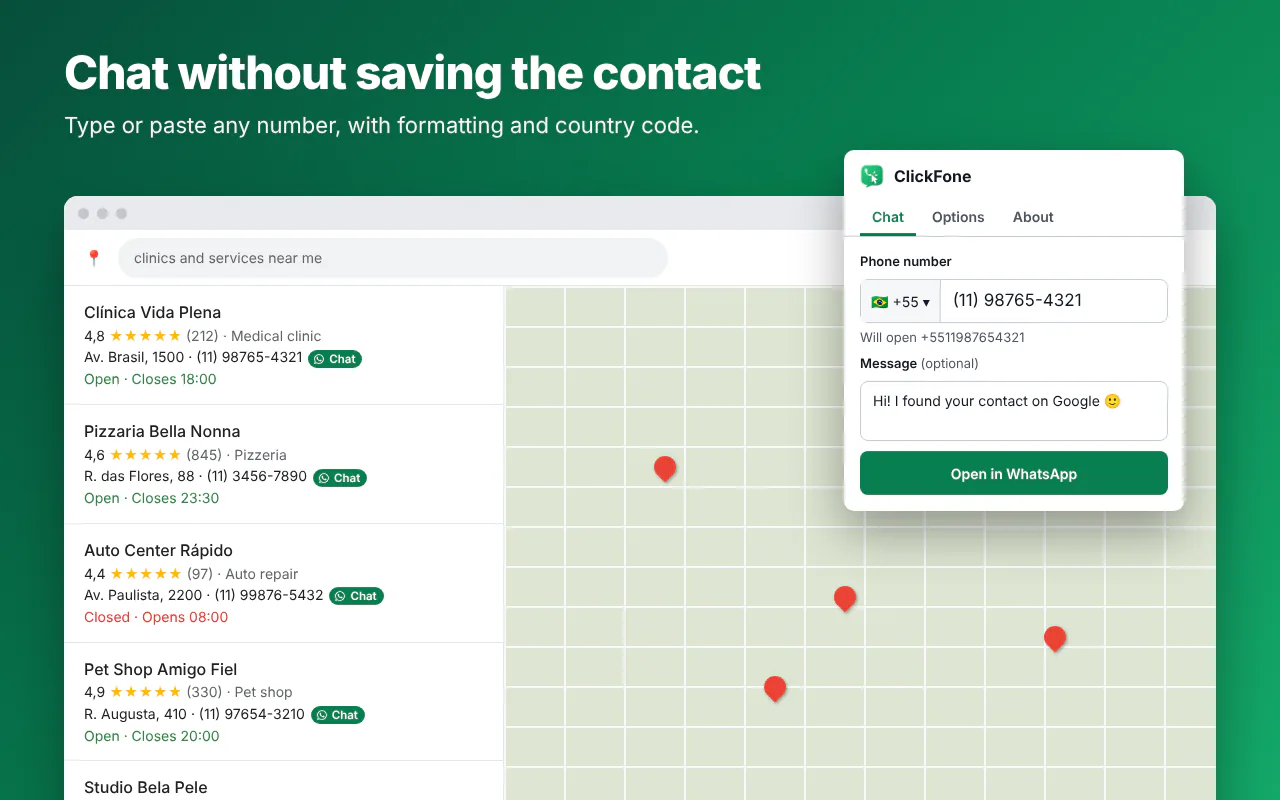
By default it only runs on Google and Maps; other sites are a permission you turn on if you want. Nothing leaves the browser: no server, no account, no tracking, and the history is deleted after 30 days. It reuses the WhatsApp Web tab you already have open and has a dialer in the icon for any number that is not on a page.
Privacy: Extension privacy policy
ClickFone is not affiliated with WhatsApp or Meta.
Want to talk about the extension?
Send an email or a WhatsApp message. I reply quickly.
Tags: Chrome extension, WhatsApp, Google Maps, Productivity, AI product, TypeScript, Privacy
chromewebstore.google.com/detail/clickfone-phone-numbers-t/aegknjockjpgcomkcpnfpiccdgipnada?hl=en